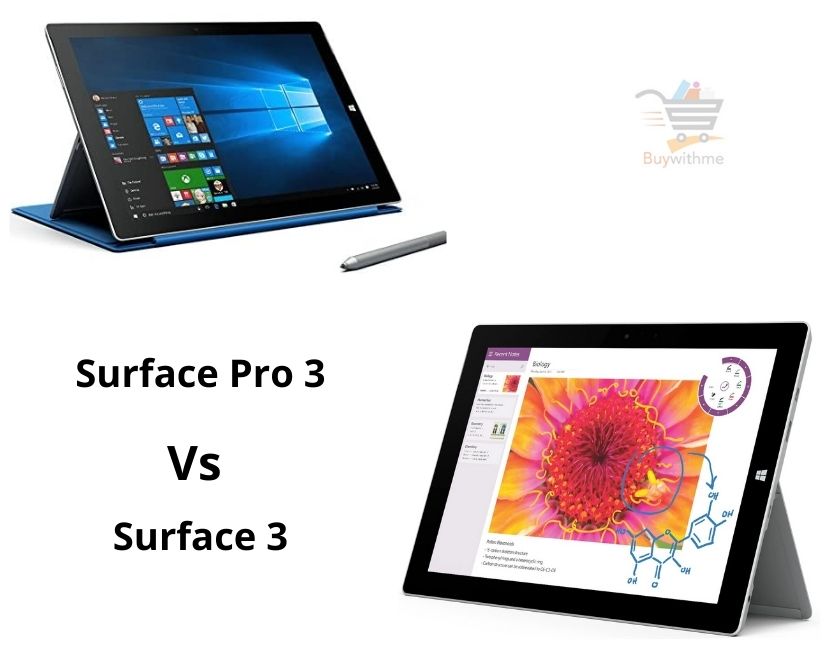
 If you are confused about choosing the best laptop between Microsoft Surface 3 and Surface Pro 3, then you should choose Surface Pro 3 as it comes with some advanced.
Why You Should Pick Surface Pro 3?
- Surface Pro 3 has 8GB RAM, including a 128GB SSD hard disk that can make your pc much faster. But, its competitor has only 4GB ram and 64 GB SSD hard disk, which can’t perform like Pro 3.
- Its display size is 12 inches, besides its competitor display size is 10.8 inches. A larger display enables you to view the details of anything.
- Pro 3 version’s screen resolution is 2160 x 1440px. On the other side, Surface 3 comes with 1920 x 1280px screen resolution. Higher screen resolution means displaying more content at the same time.
- Microsoft Surface Pro 3 includes an Intel Core i5 processor, and Surface 3 shares a quad-core Intel drive processor. Core i5 is an advanced series processor compared to quad-core, and it increased the performance of surface pro 3.
These differences make the Surface Pro 3 the best. So go for this one if you want the best laptop experiences.
.
Similar Feature:
- Both devices support Bluetooth 4.0 technology that gives extra benefits allowing only trusted owners to track device location and easily pair with other devices.
- They have a touchscreen with stylus support.
- They have a full-sized USB- 3.0 port. With this port, you can transfer files or data more fastly.
Comparison Chart
| Specification | Surface 3 | Surface Pro 3 |
| Editors Rating | 3.9 out of 5 rating | 4.2 out of 5 rating |
| Weight | 1.5 pounds | 1.76 pounds |
| Dimension | 1.58 x 14.02 x 8.64 inches | 15.12 x 9.19 x 1.55 inches |
| Screen size | 10.8 inches | 12 inches |
| Screen resolution | 1920 x 1280 px | 2160 x 1440 px |
| Ram | 4GB | 8GB |
| Storage | 64GB | 128GB |
| Processor | Quad-core intel atom x7 processor | Intel Core i5 processor |
| Battery Life | 10 hours | 9 hours |
| It has a full-sized USB-3.00 port | Yes | Yes |
| It has a mini display port | Yes | Yes |
| Warranty | 1 Year | 1 Year |
Differences and Similarities: Surface 3 vs Surface Pro 3
Display:
Surface Pro 3 screen size is 12 inches, and screen resolution is 2160 x 1440px. Besides, the Surface 3 screen size is 10.8 inches, and the screen resolution is 1920 x 1280px. The Higher screen resolution monitors displaying more content at the same time. Their aspect ratio is 3:2.
Battery Life:
This device provides up to 9-hour battery life, and Surface 3 provides 10 hours of battery life. If you want longer battery life, you can go for Surface 3.These batteries are rechargeable; you can repeatedly use them.
Storage:
It comes with a 128GB SSD hard disk, whereas Surface 3 has a 64GB. With more significant storage, you can save more data, files, and apps on your device. In addition, surface Pro 3 offers you up to 8GB Ram, and its competitor provides 4GB ram. More Ram increases the performance level. In addition, it makes the device faster.
Processore:
Microsoft Surface Pro 3 includes an intel core i5 processor, while Surface 3 consists of a Quad-core Intel Atom x7 processor. Core i5 has a high-performance rate so that the system can perform at the maximum CPU rate of 3.6 GHz, and it also offers 64-bit architecture to get reliability. In contrast, the Surface 3 processor does not have these advanced benefits.
Portability:
This device’s weight is 1.76 pounds, and the external dimension is 15.12 x 9.19 x 1.55 inches. On the other hand, Surface 3 weighs 1.5 pounds, and its dimension is 1.58 x 14.02 x 8.64 inches. If you want a portable Laptop, then Surface 3 is best for you. It is lightweight and comfortable to carry anywhere.
Connectivity:
These devices include Bluetooth version 4.0 technology. Both are supported WiFi, but Surface Pro 3 gives you a better range than Surface 3.If you want to run a laptop with a better WiFi range, then Surface Pro 3 would be ideal.
Warranty:
The Surface Laptop offers a 1-year warranty. If the product gets damaged in the manufacture time, then they repair it without any fee. In addition, you will get a 30-days return policy, and if you don’t like the product after using it, you can replace it or exchange it. The warranty date will start from the date of product purchasing.
Conclusion:
Surface Pro 3 is the latest version, giving you faster performance than Surface 3. This is also a budget-friendly tablet; you can save some money. This device provides you extra storage, higher ram, better display, advanced processor, etc. So, Surface Pro 3 would be the best pick for you.
Frequently Asked Questions about Surface 3 and Surface Pro 3
| What external DVD drive will work with the Surface Pro 3 without an external power adapter? Depending on which computer you are using and the DVD drive that you will use. In general, USB 3.0 has a more substantial output and can power most external DVD drives. Most USB 2.0 external drives need an additional power source and usually comes with two USB male plugs, 1 for data and power, 2nd for added strength. I have used USB 3.0 external Bluray drives, working perfectly on my Surface Pro 1. Hopefully, it should work too with a Surface pro. Does this come with the stylus? The Surface Pro 3 includes the stylus. Can you operate this tablet without any keyboard? Yes, you can use this device as a tablet. Does this include a free upgrade to Windows 10? Yes, all windows eight or above will be upgraded to Windows 10 without cost. What is the manufacturer warranty? Standard limited warranty, give you: One year of warranty for any defect. 90 days from technical support |
You can also read some other comparisons here: